Introduction
I received an email yesterday with excellent news. Cypres has just introduced support for new browsers: Firefox and Microsoft Edge. As far as I know Firefox support was one of the most frequently reported tickets by the community so it is nice that the developers proved this feature.
You can find the previous post here: Cypress and correct use of selections, data-cy attribute
AI-Powered User Story Analysis for Smarter Testing
Unlock the full potential of your software development process with our AI-driven tool! Learn more on DefectZero — AI user story analysis.

Cypress version update
First of all, I check that the tests I have created so far are working properly. I start Cypress with the command:
npx cypress openThen I run all the tests - verifies the output. Everything works as it should. So I close the tool and proceed to update. I use the command in the terminal:
npm update cypressRunning this command only resulted in updates to version: 3.8.3. Only the command:
npm install cypress@4.0.1It resulted in the installation of the tool in the version I expected. I am checking the installation:
npx cypress openAll the tests run in the way I expected on Google Chrome.
In case of problems after the update, the developers have prepared specific examples on how to deal with them. Some of the libraries on which Cypress is built have been deprecated, such as Mocha and Chai, which may cause some tests you have written so far to be incompatible:
https://docs.cypress.io/guides/references/migration-guide.html?utm_campaign=Cross%20Browser%20Support&utm_source=hs_email&utm_medium=email&utm_content=83268675&_hsenc=p2ANqtz-80_JWNpbFIL4OXM3x84hJ9YXyUaS_wp6TN571LTimGEl6OgPOrc9Bocc340mjTtyPUjZI-RpEOzxLI-lXhQcju8_hmYg&_hsmi=83268675#Mocha-upgradeRunning tests on other browsers
Changing the browser from within Test Runner is available in the upper right corner.
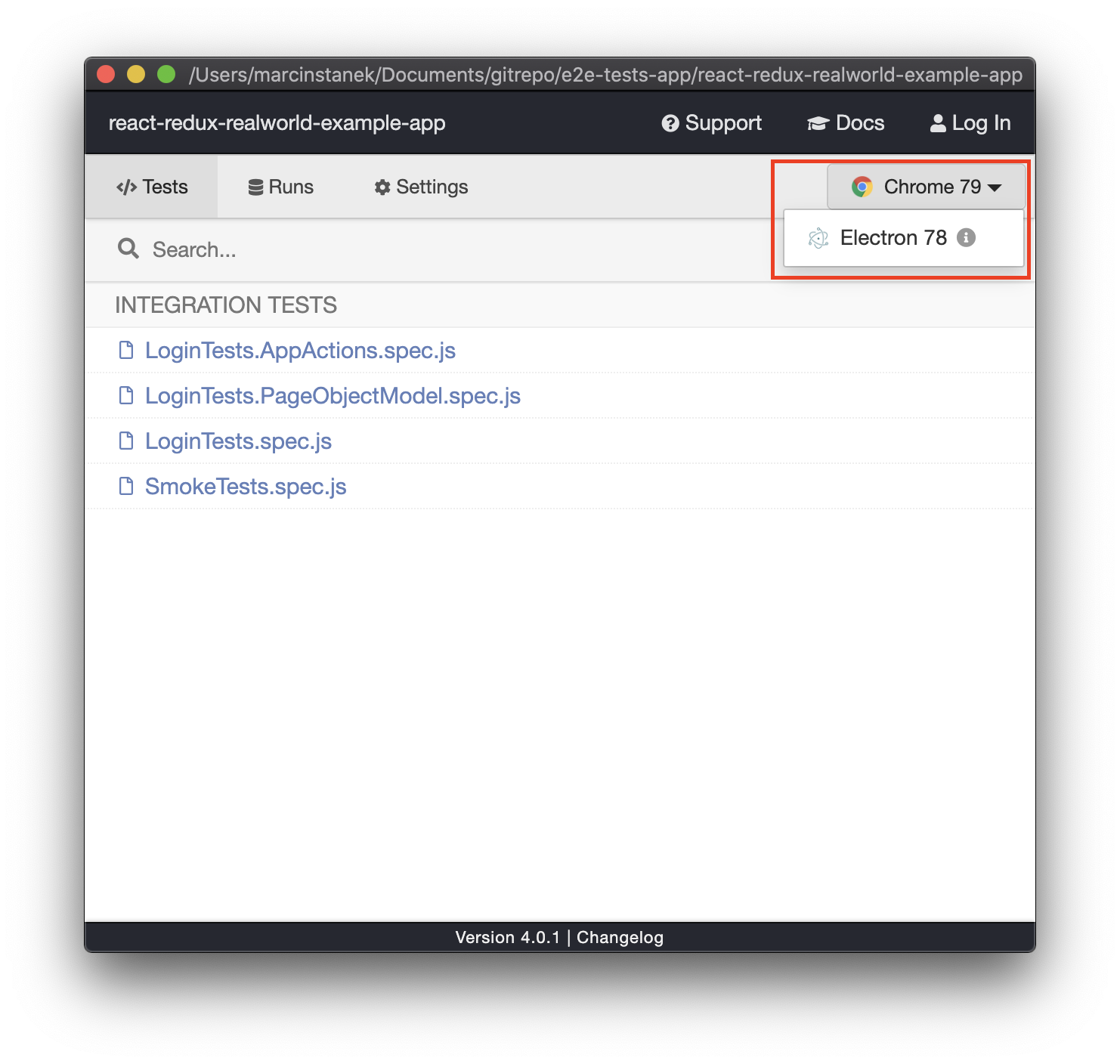
As you can see Firefox and Edge are not available from a mundane way. I don’t have these browsers installed on the disk. I fix this problem and restart Test Runner. After installing the browsers, I encountered the problem. Command:
npx cypress openIt was not causing Test Runner to open. The command was hanging and I had to cancel it in the terminal. I fixed this in a fairly simple way. I started the tests in the terminal with the command:
npx cypress runThen:
npx cypress openIt was already working properly. After performing these operations, I now have new browsers available!
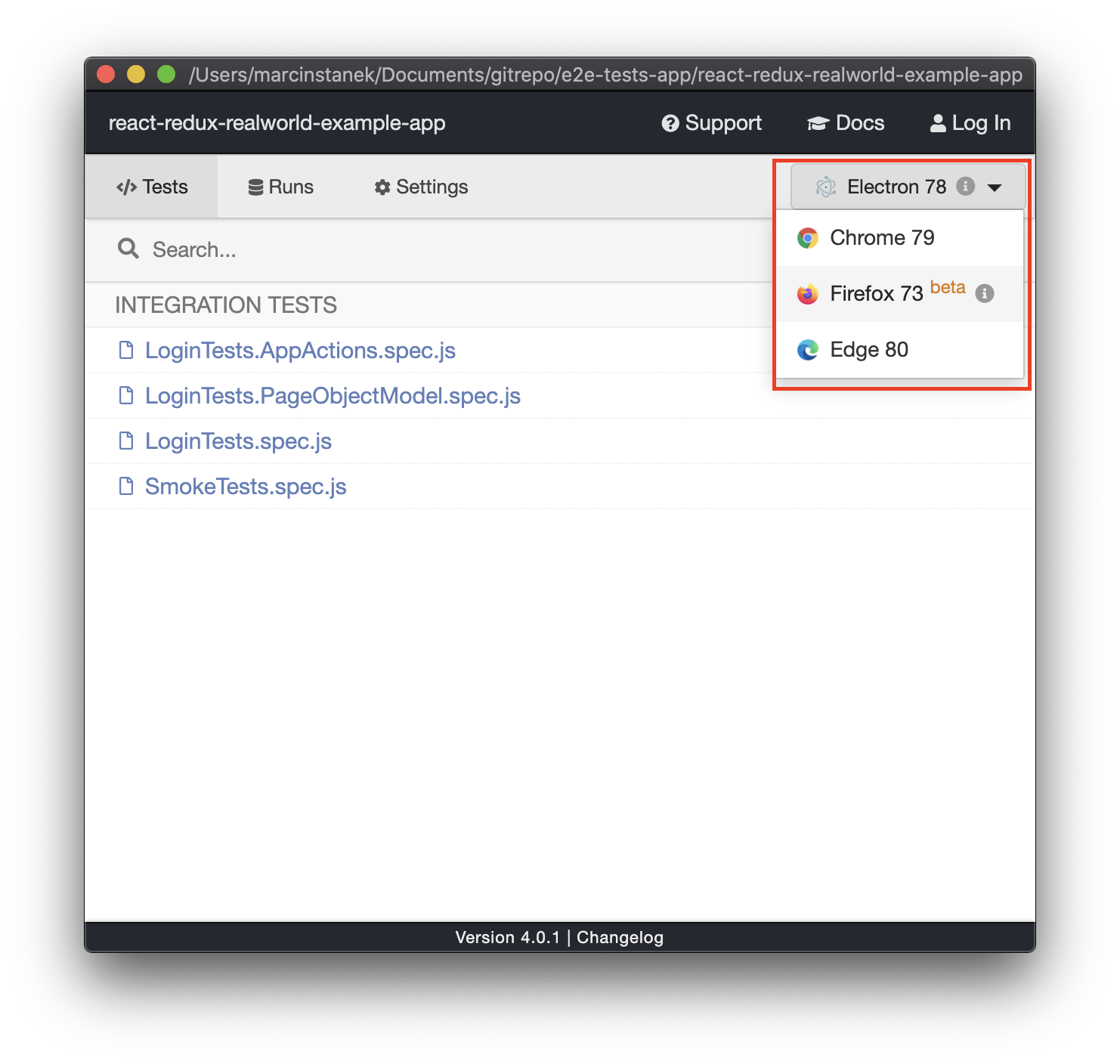
The launch of the tests has already run without any problems. Their results coincide with those of Google Chrome. Here are the recordings of the tests.
Firefox:
Edge:
You can also run the tests from the terminal:
npx cypress run --browser firefox

npx cypress run --browser edge
Summary
The tool update was not entirely without problems. However, it was possible to solve them in fairly simple ways without contacting support. In the end, tests on Firefox and Edge run correctly. Using the new features is cool.
Code on github available on branch:
https://github.com/12masta/react-redux-realworld-example-app/tree/6-cypressChangeset:
https://github.com/12masta/react-redux-realworld-example-app/pull/7/files